How clocking in works
Three ways, and they coexist on the same farm.
Not everyone has a smartphone, and not everyone wants to use theirs for work. On the same crew, whoever has a phone clocks in with the phone, and whoever does not taps a badge on the station at the gate.
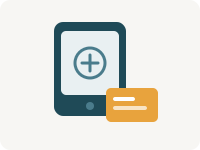
The badge, on a station
A tablet at the muster point and a reader. Tap the badge, the name appears, and that is it. For anyone without a smartphone, or unwilling to have work go through their own phone — and for the farm that does not want the app at all: badge only.
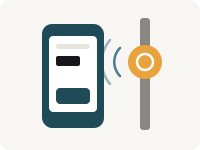
The phone, on its own
Open the app and confirm with a fingerprint or your face; on phones that have neither, with the phone’s PIN. There is nothing to fix on site. Fingerprint and face never leave the phone: what reaches the server is a signature, never a biometric.
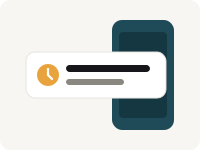
The full clock-in, with tag and beacon
An encrypted tag and a beacon go up on site. The beacon notices you arriving and reminds you to clock in — on arrival, and at the end when you move away; the tag, tapped with the phone, confirms the phone was there. Coming soon.
And they mix: on the same farm, and even for the same person — the phone every day, the badge for the day the phone is flat.
The worker’s app
One screen, with one big button.
You open it and it says how many hours you have done today and what time you started. Below, the button you need right now — clocks in, or finishes the job. No menu to learn.
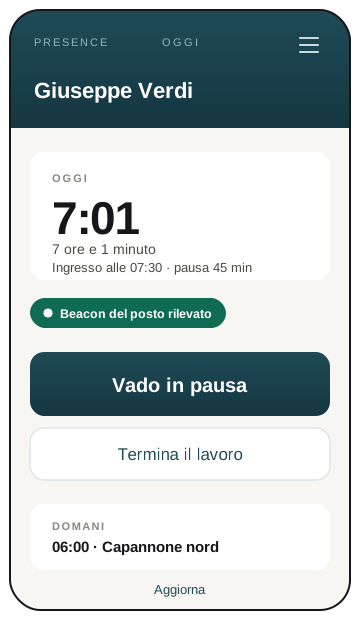
It works with no signal too
In the middle of a field the phone has no reception, and that is not a rare case: it is the normal one. The clock-in is signed and queued on the phone, and it leaves on its own when the signal comes back. Whoever clocks in sees how many are waiting.
Six languages
Italian, English, French, Albanian, Romanian and Arabic — with Arabic reading right to left, as it should. Anyone who does not understand the button does not clock in, and someone in the office ends up fixing the hours.
Their hours, on their phone
The worker sees their own days week by week, the call-ups to answer and the documents the company sends them — the payslip opens inside the app, and goes nowhere else.
Designed for gloves and for sunlight
Big targets, high contrast, text that reads with tired eyes. The sizes are not a matter of taste: they come from how a phone is held at six in the morning, with one hand.
The full clock-in
A tag that cannot be copied, and a beacon that reminds you.
An NFC tag is a sticker the size of a coin that goes on the post, the door or the tool box. The one in the full clock-in is encrypted: the phone taps it, and the tag confirms the phone was there. The beacon is a small box that stays on site and lets the phone notice you have arrived.
The encrypted tag
Confirms the place
Inside it has a key that never leaves the chip, and on every tap it signs a different code. Copying it is no use: the copied code is good once and then it is stale. The keys stay on our infrastructure — they are not on your computer, and they are not on anybody’s phone.
It is the difference between “our records say they were at the post” and “that person’s phone was at the post, and the tag confirmed it”. Every clock-in records how it was made, so whoever reads it knows how much it weighs.
The beacon
Reminds you to clock in
It broadcasts a code that keeps changing, and the phone notices it when you arrive and when you leave. It is a reminder, not a gate: you can still clock in without it.
To hear it the phone asks for the location permission, even though the app does not read your location: the operating system insists on it. Without a beacon, that permission is not needed.
Tag and beacon arrive with Certified Clocking, after the field trials.
Questions everyone asks
Do people need a company phone?
No. The app installs on the person’s own phone, and anyone who does not want to use theirs clocks in with the badge on the station. Nobody is forced to put work on a personal phone.
What if someone clocks in for someone else?
From the phone it is hard: every clock-in is signed by a key that lives inside that phone and unlocks with that person’s fingerprint or face. With a PIN — on phones that have neither — it is only as good as keeping the PIN to yourself, and the clock-in records that a PIN was used. With the badge the risk of a lent badge remains — as with any badge — and for that the system flags the impossible cases, for example two clock-ins at the same instant.
Is the phone tracked?
No, and it is not a promise: GPS is simply not in the product. No coordinate is read, at any moment. How the data is handled.
Does it work on iPhone and on Android?
On Android the app is native and you clock in from the phone. On iPhone the app is not there yet: for now you clock in with the badge on the station, and you can see your own hours on both. When it arrives it will be native there too — not a web page in disguise — because reading a tag and signing with a fingerprint means getting where a browser cannot.
The right way depends on how your work sites are laid out: how many muster points, how many people together in the morning, how many phones.