Attendance and hours for people who work outdoors
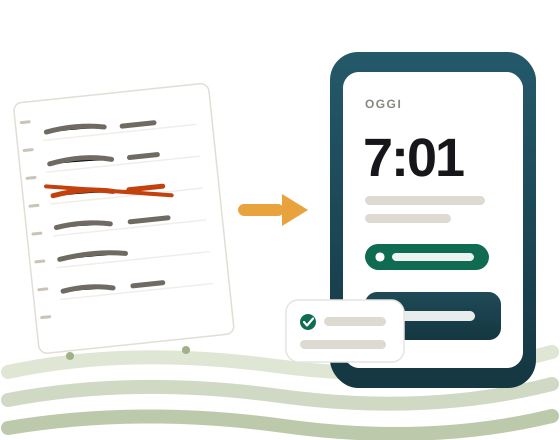
Your crew’s hours, without the notebook.
Who arrives, who leaves, how long they worked and what they are owed. Clock in with a badge, from a phone, or by tapping the tag on the post — and by evening the sums are already done.
- Built for farming — seasonal and permanent farm contracts, provincial agreements, who works where.
- Works in the field — with no signal, with gloves on, in six languages.
- Nothing is quietly rewritten — every clock-in says how it was recorded, and every correction stays on the record.
The problem
The notebook works while there are five of them.
Then the season starts, forty people turn up, and every Friday someone spends the afternoon piecing the sheets back together. Hours get counted twice, breaks are remembered from memory, and when the adviser asks for a summary it all starts over.
PresenceLive does what you were already doing, with the same logic — only it does it while the day is happening, so by evening it is finished.

Every screen answers one question, and the first is always the same: who has something wrong today?
How clocking in works
Three ways, and they coexist on the same farm.
Not everyone has a smartphone, and not everyone wants to use theirs for work. On the same crew, whoever has a phone clocks in with the phone, and whoever does not taps a badge on the station at the gate.

The badge
A station at the muster point, for anyone without a smartphone — or unwilling to use their own for work.
The phone
Confirm with a fingerprint or your face — with a PIN on phones that have neither. Nothing to fix on site.

The full clock-in
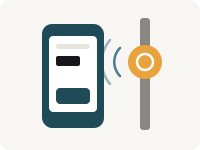
The phone gains an encrypted tag on the post and a beacon: the tag confirms the place, the beacon reminds you to clock in. Coming soon.
And they mix: the phone for those who have one, the badge for those who do not, or for the day the phone is flat. The encrypted tag, for its part, cannot be copied — every tap signs a different code, with the key that never leaves the chip.
The number that matters
Every clock-in carries what it is worth.
Net hours times the agreed rate, person by person, with the date it takes effect from: a rise from April does not recalculate March. At the end of the month out comes the file for the bank, and the summary for the payroll adviser.
- 3 millionclock-ins tested on a single machine
- 6languages in the worker’s app
- 0GPS coordinates collected, ever
Why us
PresenceLive is brand new, and that works in your favour.
You are not talking to a call centre: you are talking to the person who wrote it. What you need and cannot find, if it makes sense for everyone, goes into the product — and not in two years.